 English (India)
 Español
 Português
 Français
 Deutsch
 Italiano
 العربية
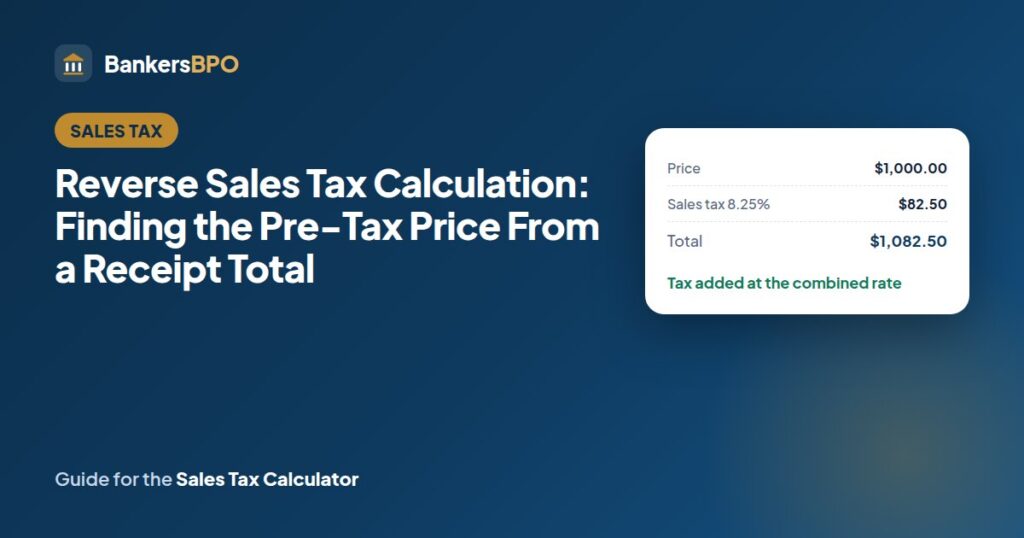
You have a receipt total of $1,082.50, you know the rate was 8.25%, and you need the price before tax for an expense report or a ledger. Reverse sales tax calculation is one line of arithmetic, and most people do it wrong the first time by subtracting 8.25% from the total. This guide shows the right method, why the wrong one is off, and the places the calculation turns up in bookkeeping, with the sales tax calculator set to “includes tax” for checking.
The method
Pre-tax price = total ÷ (1 + rate)
Tax = total − pre-tax price
For the $1,082.50 total at 8.25%: 1,082.50 ÷ 1.0825 = $1,000.00. Tax = $82.50.
The logic: the total is the price plus 8.25% of the price, which is 108.25% of the price. Dividing by 1.0825 undoes that.
The wrong method, and how far off it is
Subtracting 8.25% from the total: 1,082.50 × 0.9175 = $993.19. That is $6.81 too low, and the implied tax of $89.31 is $6.81 too high. The error is because 8.25% of the total is more than 8.25% of the price; the percentage was applied to a smaller number on the way in than on the way out.
The size of the error grows with the rate. At 5% it is about a quarter of a percent of the total; at 10% it is nearly one percent. On a single receipt it is pennies to a few dollars; across a year of expense reports or a sales ledger it is real money and a mismatch the auditor will find.
A related shortcut that does work: the tax as a share of the total is rate ÷ (1 + rate). At 8.25% that is 7.62%, so tax = total × 0.0762 gives $82.50 directly. The division method is easier to remember.
Worked examples
| Total paid | Rate | Pre-tax price | Tax |
|---|---|---|---|
| $54.11 | 8.25% | $49.99 | $4.12 |
| $168.15 | 12.1% (10.1% sales plus 2% meals) | $150.00 | $18.15 |
| $2,598.00 | 8.25% | $2,400.00 | $198.00 |
| $107.00 | 7% | $100.00 | $7.00 |
| $100.00 | 7% | $93.46 | $6.54 |
The last two rows are the pair that causes most confusion: $100 plus 7% is $107, but $100 including 7% is $93.46 plus $6.54. A customer who says “I’ll pay $100 all in” is paying $93.46 for the goods.
Rounding: compute the pre-tax price to the cent, then take tax as the difference, so the two add back to the total exactly. Dividing and rounding both parts separately can leave a one-cent gap.
Where the calculation is used
Expense reports. Many employers and accounting systems want the pre-tax amount and the tax as separate lines, especially where the business can reclaim or deduct the tax. The receipt usually shows both, but a credit card statement or a handwritten taxi receipt shows only the total.
Bookkeeping for tax-inclusive sales. A food truck, a market stall or a bar that charges round tax-inclusive prices still has to report the taxable sales and the tax collected separately on the state return. Daily takings of $2,165 at 8.25% are $2,000 of sales and $165 of tax. Getting this wrong by using the subtraction method understates sales and overstates tax, which looks like over-collection.
Pricing to a target total. A seller who wants an item to ring up at exactly $20.00 with 8.25% tax sets the shelf price at 20 ÷ 1.0825 = $18.48, and the tax comes to $1.52.
Comparing quotes. One contractor quotes $4,500 plus tax, another $4,800 including tax, at 7%. The second is $4,486 before tax, so it is the cheaper quote by $14 despite the larger number.
Reconstructing a rate. If a receipt shows the pre-tax price and the total but not the rate, rate = total ÷ price − 1. A $1,000 price and a $1,082.50 total give 0.0825, which is 8.25%. Useful when a rate lookup is needed for the same store next month.
Reversing from the tax figure instead of the total
Sometimes the receipt shows the tax and the rate but the pre-tax line is smudged or missing. Then price = tax ÷ rate: a tax of $82.50 at 8.25% means a price of $1,000. And if you have the tax and the total but not the rate, the price is the total minus the tax, and the rate is tax ÷ price. Any two of the four figures (price, rate, tax, total) give the other two.
A bookkeeping month, worked
A cafe charges tax-inclusive prices in a city with a 9.5% combined rate and takes $38,500 over the month, of which $2,200 was for bottled water, which the state exempts as a grocery item. Taxable takings are $36,300. Pre-tax taxable sales = 36,300 ÷ 1.095 = $33,150.68. Tax collected = $3,149.32. The return shows gross sales $38,500 less exempt $2,200 equals taxable sales, and tax due of $3,149.32. The water is reported at its full $2,200 because no tax was built into it.
Had the cafe used the subtraction method, it would have reported taxable sales of $32,851.50 and tax of $3,448.50, overpaying the state by $299 and understating revenue by the same amount. Over a year that is $3,600, which is the kind of discrepancy that triggers a review and a request for the daily register tapes.
When the division method does not apply
Multiple rates on one receipt. A grocery bill with taxed and exempt items, or a restaurant bill with a meals surcharge on food but not on retail items, cannot be reversed with one rate. Separate the lines first, or take the tax figure printed on the receipt.
Tax already included in a rounded price. If the seller rounded the tax-inclusive price to a whole dollar, the exact division will produce a pre-tax price with odd cents, which is correct; the seller absorbed the rounding.
Tips and fees. A restaurant total that includes a tip, a delivery fee or a service charge has those outside the tax base in most states. Remove them before dividing.
Tax on shipping. If the state taxes shipping and the receipt shows one total, divide the whole total; if shipping is exempt, remove it first.
Checking with the calculator
Open the sales tax calculator, enter the total, set the rate, and choose “includes tax”. The result shows the pre-tax price and the tax as separate lines, computed by the division method. Switch to “before tax” with the pre-tax figure to confirm it rebuilds the same total. For a batch of receipts, the formula =B2/(1+C2) in a spreadsheet does the same, with the tax as =B2-D2.
If you are writing a check for the total, the check amount in words tool gives the words line, and a new supplier’s tax identification number can be format-checked with the EIN validator before you set up the payment. All the tools are on the homepage.
FAQs
How do I find the pre-tax price if I do not know the rate?
Look up the combined rate for the store’s location on the state department of revenue site, or find a receipt from the same store that shows the tax separately and divide the tax by the pre-tax amount. Without the rate the calculation cannot be done; a guess of the state rate alone will be low in most cities.
Why does my receipt’s tax differ by a cent from the calculator?
Rounding. The store rounded the tax on the invoice total, or on each line, to the nearest cent, and the calculator rounds the division result. A one-cent difference is normal and either figure is acceptable for an expense report. A larger difference means a different rate or an exempt item.
Can I reverse the tax on a credit card statement?
Yes, if the whole charge was taxable at one rate and included no tip. Restaurant charges on a statement usually include the tip, so subtract it first. For a mixed purchase, the statement alone is not enough; you need the receipt.
Is the reverse calculation the same for VAT in other countries?
Yes. Dividing by 1 plus the rate works for any tax added as a percentage of the price, including VAT and GST. The other-language versions of this site use the same tool with each country’s standard VAT rates built in.
How should a tax-inclusive business record sales?
Record the pre-tax sales and the tax collected as separate amounts each day, using the division method on the daily total for each rate charged. The tax collected is a liability owed to the state, not revenue. Most point-of-sale systems do this automatically if the tax-inclusive setting is on.
What if the receipt total includes a discount applied after tax?
That is unusual; discounts normally reduce the price before tax. If a coupon was applied to the total after tax, add it back before dividing, then subtract it again from the pre-tax price. The tax was calculated on the undiscounted price in that case.